How to Test CSV & Excel Export Buttons in React Without Writing Backend Exporters
Generate and test CSV, Excel (.xlsx), and JSON spreadsheet downloads with nested field flattening directly from Playground API endpoints.
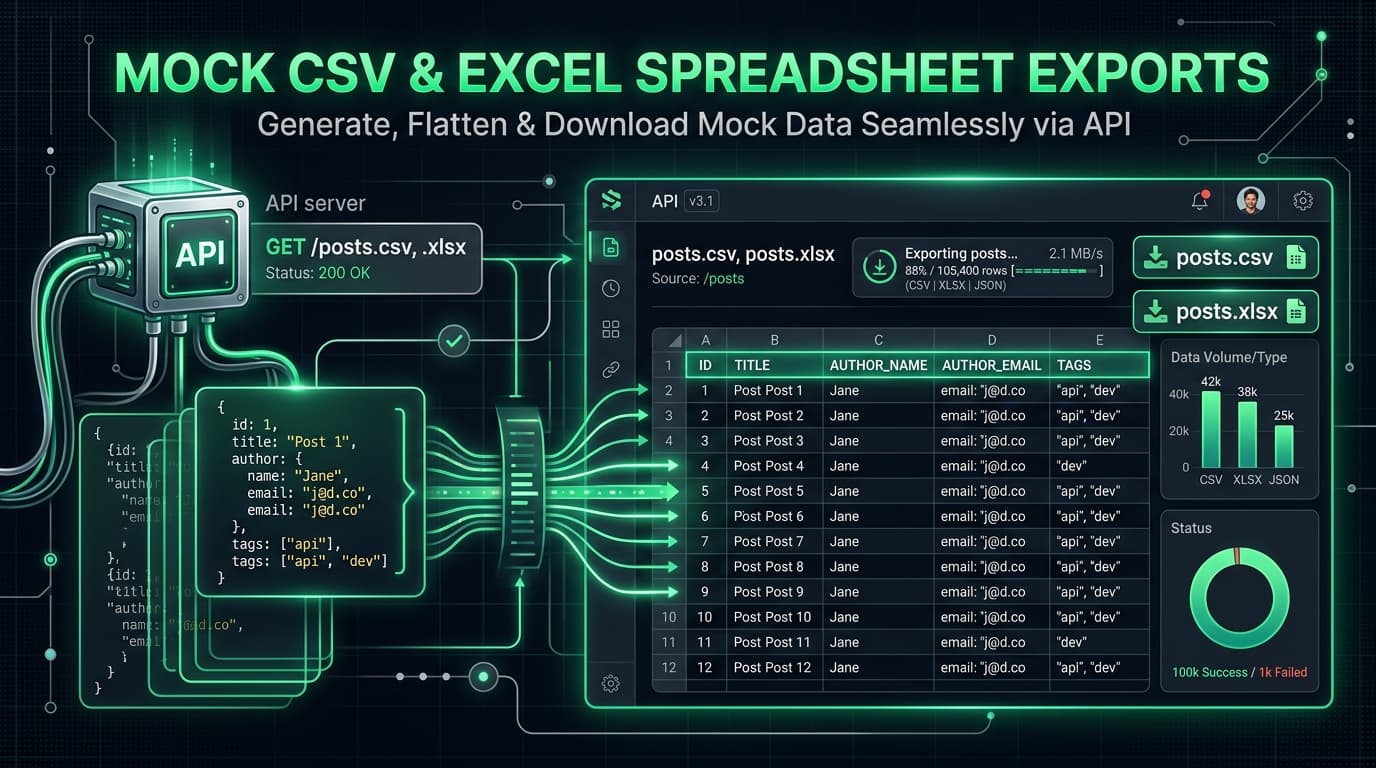
How to Test CSV & Excel Export Buttons in React Without Writing Backend Exporters
Almost every dashboard or administrative table interface requires an "Export to CSV" or "Download Excel Spreadsheet" button.
However, during frontend development, testing spreadsheet download buttons is surprisingly tricky:
- You need realistic tabular data with headers.
- Nested JSON objects (e.g.
user.address.cityortags: ['react', 'api']) need to be cleanly flattened into columns. - Correct MIME headers (
text/csv,application/vnd.openxmlformats-officedocument.spreadsheetml.sheet) andContent-Dispositionattachment headers must be set so the browser triggers a native file download.
Playground API now provides native CSV and Excel (.xlsx) file exports on all standard REST collections!
1. Export Endpoints
Simply append .csv or .xlsx to any collection route:
GET https://playground.nileslabs.com/posts.csvGET https://playground.nileslabs.com/posts.xlsxGET https://playground.nileslabs.com/users.csvGET https://playground.nileslabs.com/todos.xlsx
You can also pass standard filtering, search, and sorting parameters:
2. Implementing a React Export Button
Here is a clean React component that downloads the spreadsheet directly:
3. Nested Data Flattening
Playground API automatically transforms complex nested JSON structures into spreadsheet columns:
user.company.name->company_nametags: ["tech", "api"]->"tech, api"
4. Live Interactive Export Studio
Test spreadsheet downloads and preview raw CSV outputs in the documentation:
👉 https://playground.nileslabs.com/docs/exports
Conclusion
Save hours of backend mocking. Test real spreadsheet export buttons in your React dashboards with Playground API!
Try Playground API in Your Own App
Stateful mock REST & GraphQL API with private sandbox overlays.