Teaching REST APIs With a Real Backend Sandbox Instead of Static JSON

Discover why teaching REST APIs with static JSON files confuses beginners, and how real HTTP sandboxes make teaching CRUD, status codes, and headers easy.
NK
Nilesh Kumar
Creator of Playground API
Teaching REST APIs With a Real Backend Sandbox Instead of Static JSON

Teaching REST APIs With a Real Backend Sandbox Instead of Static JSON

Suggested URL Slug: teaching-rest-apis-sandbox-vs-static-json

Primary Keyword: learn REST API with real projects

Secondary Keywords: teach REST API, REST API for students, HTTP status codes tutorial, beginner API sandbox

Meta Description: Discover why teaching REST APIs with static JSON files confuses beginners, and how real HTTP sandboxes make teaching CRUD, status codes, and headers easy.

Suggested Dev.to Tags: #beginners, #education, #javascript, #webdev


If you teach web development—whether in a coding bootcamp, university classroom, YouTube tutorial, or company onboarding program—you know this exact teaching struggle:

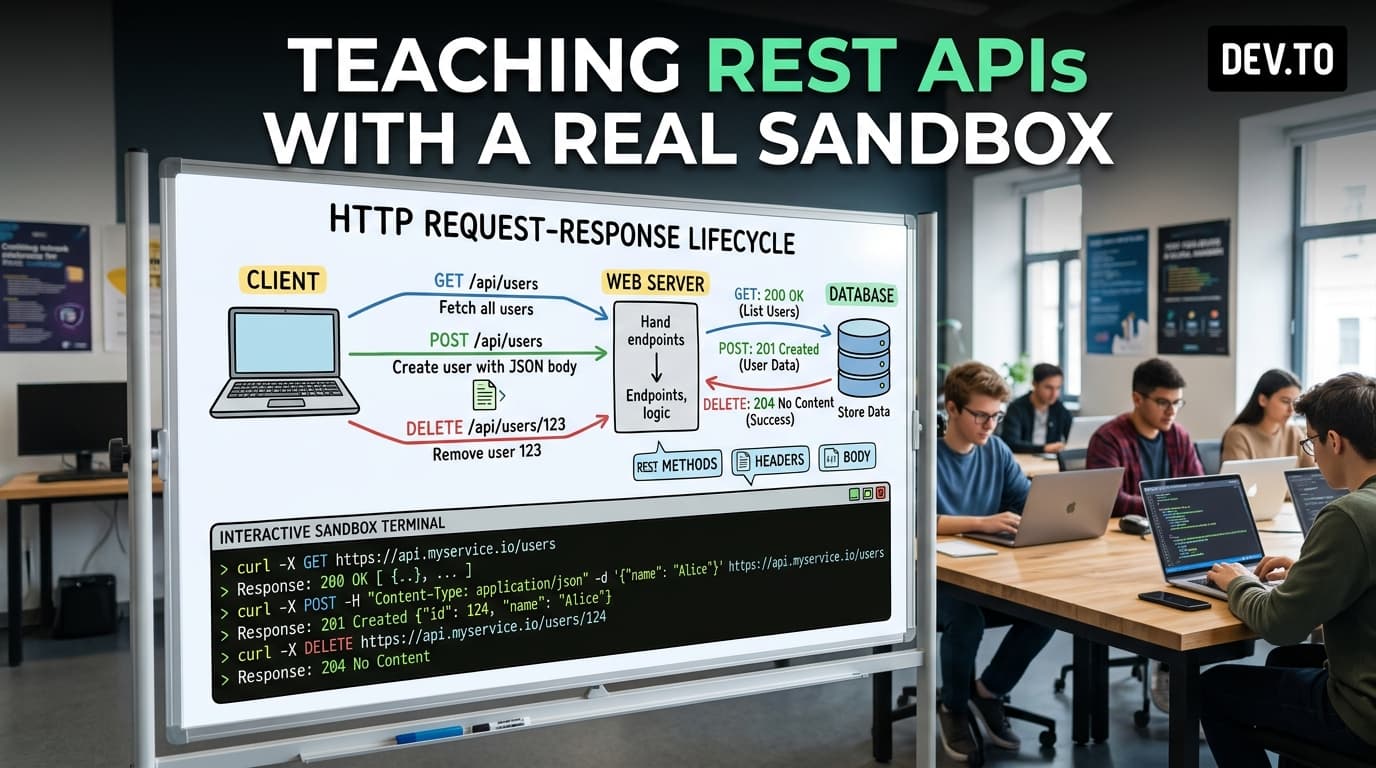
You want to explain HTTP Request & Response lifecycles, REST verbs, and CRUD operations.

To avoid overwhelming students with database setup, Express routing, and SQL migrations in their first week of JavaScript, instructors usually pick one of two compromises:

  1. Importing a local data.json file:

Students manipulate a JavaScript array in memory.

The Downside: Students don't learn about HTTP methods (GET, POST, PATCH, DELETE), headers (Content-Type, Authorization), asynchronous network latency, or status codes (200, 404, 500).

  1. Using a static mock API:

Students send a POST request, receive a dummy response, but when they try to fetch the item they just created, it isn't there.

The Downside: Beginners assume their JavaScript code is broken, resulting in confusion and lost confidence.

How can educators teach authentic REST API workflows without burdening beginners with backend infrastructure?


What Beginners Need to Learn About HTTP APIs

To understand how web applications communicate with servers, students must practice five core concepts:

javascript
1
┌──────────────────────────────────────────────┐
2
The 5 Core API Concepts
3
└──────────────────────────────────────────────┘
4
5
┌──────────────────┬───────────────┴───────────────┬──────────────────┐
6
7
1. HTTP Verbs 2. Query Params 3. Status Codes 4. Headers & Body
8
(GET, POST, (?_page=1&_limit=10, (200 OK, 404, (Content-Type,
9
PATCH, DELETE) ?user_id=1, ?q=search) 500 Server Error) Authorization)
  1. HTTP Verbs: Understanding that GET reads data, POST creates records, PATCH modifies fields, and DELETE destroys records.
  2. Query Parameters: Learning how pagination (?_page=1&_limit=10), search (?q=term), and relational filtering (?user_id=1) work over URL queries.
  3. HTTP Status Codes: Learning how to interpret 200 OK, 201 Created, 400 Bad Request, 404 Not Found, and 500 Internal Server Error.
  4. Headers and Payloads: Learning how Content-Type: application/json tells the server how to parse JSON.stringify(body).
  5. Asynchronous Lifecycle: Managing loading spinners and error screens with async/await and try/catch.

The Solution: A Frictionless Student Sandbox

Playground API by Niles Labs is designed as a classroom-friendly API sandbox.

Because it maintains isolated per-session memory, every student in a classroom or online workshop can interact with the API independently without overwriting their classmates' work.

Students can create users, edit blog posts, and delete todos with 100% realistic API behavior.


Hands-On Student Lab: The "Mini Task Tracker"

Here is an ideal beginner assignment that teaches GET, POST, and DELETE using vanilla JavaScript.

HTML Structure (index.html)

html
1
<!DOCTYPE html>
2
<html lang="en">
3
<head>
4
<meta charset="UTF-8">
5
<title>Student Task Tracker</title>
6
<style>
7
body { font-family: sans-serif; max-width: 500px; margin: 40px auto; padding: 20px; }
8
.task-item { display: flex; justify-content: space-between; padding: 8px; border-bottom: 1px solid #ddd; }
9
.delete-btn { color: red; cursor: pointer; border: none; background: none; }
10
</style>
11
</head>
12
<body>
13
<h2>🎓 Student Task Tracker</h2>
14
15
<form id="taskForm">
16
<input type="text" id="taskTitle" placeholder="Enter a new task..." required style="width: 70%; padding: 8px;">
17
<button type="submit" style="padding: 8px;">Add Task</button>
18
</form>
19
20
<p id="statusMsg"></p>
21
<div id="taskList"></div>
22
23
<script src="app.js"></script>
24
</body>
25
</html>

Vanilla JavaScript Implementation (app.js)

javascript
1
// src/app.js
2
const API_URL = 'https://playground.nileslabs.com/api/v1/todos';
3
4
const taskList = document.getElementById('taskList');
5
const taskForm = document.getElementById('taskForm');
6
const taskTitle = document.getElementById('taskTitle');
7
const statusMsg = document.getElementById('statusMsg');
8
9
// 1. READ: Fetch tasks from API (GET)
10
async function loadTasks() {
11
statusMsg.textContent = 'Loading tasks...';
12
try {
13
const response = await fetch(${API_URL}?_page=1&_limit=5);
14
if (!response.ok) throw new Error(HTTP Error: ${response.status});
15
16
const tasks = await response.json();
17
renderTasks(tasks);
18
statusMsg.textContent = '';
19
} catch (error) {
20
statusMsg.textContent = ${error.message};
21
}
22
}
23
24
// 2. Render tasks to HTML DOM
25
function renderTasks(tasks) {
26
taskList.innerHTML = '';
27
tasks.forEach(task => {
28
const div = document.createElement('div');
29
div.className = 'task-item';
30
div.innerHTML =
31
<span>${task.completed ? '✅' : '⏳'} ${task.title} (ID: ${task.id})</span>
32
<button class="delete-btn" onclick="deleteTask(${task.id})">Delete</button>
33
;
34
taskList.appendChild(div);
35
});
36
}
37
38
// 3. CREATE: Submit new task (POST)
39
taskForm.addEventListener('submit', async (e) => {
40
e.preventDefault();
41
const title = taskTitle.value.trim();
42
if (!title) return;
43
44
statusMsg.textContent = 'Saving to API...';
45
try {
46
const response = await fetch(API_URL, {
47
method: 'POST',
48
headers: { 'Content-Type': 'application/json' },
49
body: JSON.stringify({
50
title: title,
51
completed: false,
52
user_id: 1
53
})
54
});
55
56
if (!response.ok) throw new Error('Failed to create task');
57
58
// Clear form and reload tasks (The new task is now in the list!)
59
taskTitle.value = '';
60
await loadTasks();
61
} catch (error) {
62
statusMsg.textContent = ${error.message};
63
}
64
});
65
66
// 4. DELETE: Remove task from API (DELETE)
67
async function deleteTask(id) {
68
statusMsg.textContent = 'Deleting...';
69
try {
70
const response = await fetch(${API_URL}/${id}, {
71
method: 'DELETE'
72
});
73
74
if (!response.ok) throw new Error('Failed to delete task');
75
await loadTasks();
76
} catch (error) {
77
statusMsg.textContent = ${error.message};
78
}
79
}
80
81
// Initial load
82
loadTasks();

3 Classroom Exercises You Can Run with Playground API

  1. The Latency Challenge:

Have students add ?_delay=2000 to their fetch URL and build a loading spinner. This teaches students why asynchronous UI feedback is essential.

  1. The Error Boundary Challenge:

Have students add ?_status=500 to simulate a server crash and verify their catch block renders a friendly error message.

  1. The Relational Query Challenge:

Have students fetch a user's specific posts via GET /users/1/posts and render a user profile card.


Conclusion

Teaching web development is most effective when students interact with authentic tools. By replacing static JSON files with a real, stateful HTTP sandbox, educators empower students to learn real-world API communication, status codes, and CRUD patterns from their very first assignment.

Power your web development curriculum with Playground API by Niles Labs.

Tags:#beginners#education#javascript#webdev

Try Playground API in Your Own App

Stateful mock REST & GraphQL API with private sandbox overlays.