How to Test JWT Authentication and Silent Token Refresh in React Without a Backend

Master testing JWT authentication, Bearer tokens, Axios silent refresh interceptors, and protected routes in React using a stateful auth sandbox.
NK
Nilesh Kumar
Creator of Playground API
How to Test JWT Authentication and Silent Token Refresh in React Without a Backend

How to Test JWT Authentication and Silent Token Refresh in React Without a Backend

Suggested URL Slug: test-jwt-auth-and-token-refresh-in-react

Primary Keyword: test JWT auth in React

Secondary Keywords: silent token refresh Axios, React JWT authentication tutorial, mock JWT API, React protected route test

Meta Description: Master testing JWT authentication, Bearer tokens, Axios silent refresh interceptors, and protected routes in React using a stateful auth sandbox.

Suggested Dev.to Tags: #react, #auth, #security, #javascript


Building authentication in a frontend application is notoriously tricky.

Writing the UI form is easy. The hard part is everything that happens under the hood:

  • Storing access tokens and refresh tokens securely.
  • Attaching Authorization: Bearer <token> headers to authenticated requests.
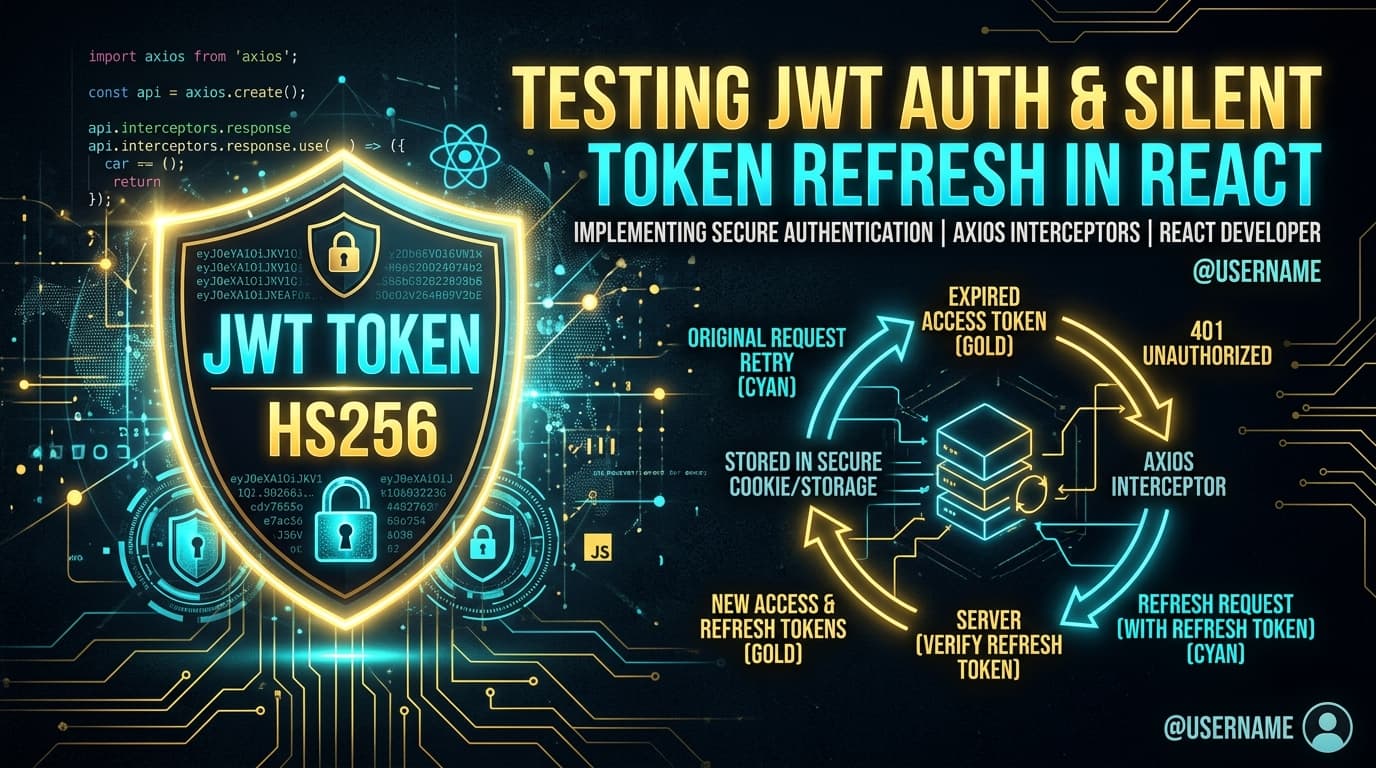
  • Intercepting 401 Unauthorized responses when an access token expires.
  • Silently requesting a new access token via /auth/refresh without logging the user out or interrupting their work.
  • Updating authenticated profile details via PATCH /auth/me.

When developing a frontend, you shouldn't have to build an entire Node.js auth microservice with bcrypt, JWT signing secrets, and database tables just to test your React AuthContext and Axios interceptor loops.

In this guide, we will explore how modern JWT authentication flows work on the frontend and how to test the entire lifecycle against a production-grade auth sandbox.


The Standard JWT Authentication Architecture

A production frontend authentication flow typically follows this sequence:

mermaid
1
sequenceDiagram
2
autonumber
3
actor User as React Application
4
participant Auth as Auth API Sandbox
5
6
User->>Auth: 1. POST /auth/login { username, password }
7
Auth-->>User: 200 OK { access_token (15m), refresh_token (7d), user }
8
9
User->>Auth: 2. GET /auth/me (Authorization: Bearer <access_token>)
10
Auth-->>User: 200 OK { id: 1, name: "Leanne Graham", ... }
11
12
Note over User,Auth: Time passes... Access token expires
13
14
User->>Auth: 3. GET /auth/me (Expired Token)
15
Auth-->>User: 401 Unauthorized
16
17
User->>Auth: 4. POST /auth/refresh { refreshToken }
18
Auth-->>User: 200 OK { access_token (Fresh 15m) }
19
20
User->>Auth: 5. Retry original GET /auth/me with fresh token
21
Auth-->>User: 200 OK

The Sandbox Authentication Endpoints

Playground API by Niles Labs provides built-in JWT authentication simulation endpoints under /api/v1/auth:

EndpointMethodPayload / HeadersDescription
/api/v1/auth/loginPOST{ username, email, password }Authenticates user; returns signed 15-minute access_token and 7-day refresh_token.
/api/v1/auth/registerPOST{ name, username, email }Creates user in your session overlay and returns auth tokens.
/api/v1/auth/refreshPOST{ refreshToken }Validates refresh token and issues a fresh access_token.
/api/v1/auth/meGETAuthorization: Bearer <token>Verifies JWT signature and returns the authenticated user profile.
/api/v1/auth/mePATCHAuthorization: Bearer <token>Updates profile attributes within the caller's session overlay.

Implementing the Silent Refresh Interceptor with Axios

Let's implement a production-grade Axios client that automatically catches 401 Unauthorized errors, performs a silent token refresh, and retries the failed request.

1. The Authenticated HTTP Client (httpClient.js)

javascript
1
// src/services/httpClient.js
2
import axios from 'axios';
3
4
const BASE_URL = 'https://playground.nileslabs.com/api/v1';
5
6
// In-memory token storage (Best practice for XSS mitigation)
7
let accessToken = null;
8
let refreshToken = localStorage.getItem('playground_refresh_token');
9
10
export const setTokens = (access, refresh) => {
11
accessToken = access;
12
refreshToken = refresh;
13
if (refresh) {
14
localStorage.setItem('playground_refresh_token', refresh);
15
} else {
16
localStorage.removeItem('playground_refresh_token');
17
}
18
};
19
20
export const getAccessToken = () => accessToken;
21
22
// Create Axios Instance
23
export const apiClient = axios.create({
24
baseURL: BASE_URL,
25
headers: { 'Content-Type': 'application/json' },
26
});
27
28
// Request Interceptor: Attach Bearer token
29
apiClient.interceptors.request.use((config) => {
30
if (accessToken && !config.headers.Authorization) {
31
config.headers.Authorization = Bearer ${accessToken};
32
}
33
return config;
34
});
35
36
// Response Interceptor: Catch 401 and handle silent refresh
37
apiClient.interceptors.response.use(
38
(response) => response,
39
async (error) => {
40
const originalRequest = error.config;
41
42
// Check if error is 401 and we haven't already retried
43
if (error.response?.status === 401 && !originalRequest._retry && refreshToken) {
44
originalRequest._retry = true;
45
46
try {
47
// Request fresh access token
48
const refreshRes = await axios.post(${BASE_URL}/auth/refresh, {
49
refreshToken: refreshToken,
50
});
51
52
const newAccessToken = refreshRes.data.access_token;
53
setTokens(newAccessToken, refreshToken);
54
55
// Update Authorization header and retry original request
56
originalRequest.headers.Authorization = Bearer ${newAccessToken};
57
return apiClient(originalRequest);
58
} catch (refreshErr) {
59
// Refresh token failed or expired -> log out user
60
setTokens(null, null);
61
window.location.href = '/login';
62
return Promise.reject(refreshErr);
63
}
64
}
65
66
return Promise.reject(error);
67
}
68
);

2. The React AuthContext Provider (AuthContext.jsx)

jsx
1
// src/context/AuthContext.jsx
2
import React, { createContext, useContext, useState, useEffect } from 'react';
3
import { apiClient, setTokens, getAccessToken } from '../services/httpClient';
4
5
const AuthContext = createContext(null);
6
7
export function AuthProvider({ children }) {
8
const [user, setUser] = useState(null);
9
const [loading, setLoading] = useState(true);
10
11
// Fetch current user on startup if token exists
12
useEffect(() => {
13
const initAuth = async () => {
14
const storedRefresh = localStorage.getItem('playground_refresh_token');
15
if (storedRefresh) {
16
try {
17
// Attempt token refresh on boot
18
const refreshRes = await apiClient.post('/auth/refresh', {
19
refreshToken: storedRefresh,
20
});
21
setTokens(refreshRes.data.access_token, storedRefresh);
22
23
// Fetch authenticated profile
24
const meRes = await apiClient.get('/auth/me');
25
setUser(meRes.data);
26
} catch {
27
setTokens(null, null);
28
}
29
}
30
setLoading(false);
31
};
32
33
initAuth();
34
}, []);
35
36
// Login action
37
const login = async (username, password) => {
38
const res = await apiClient.post('/auth/login', { username, password });
39
setTokens(res.data.access_token, res.data.refresh_token);
40
setUser(res.data.user);
41
return res.data.user;
42
};
43
44
// Logout action
45
const logout = () => {
46
setTokens(null, null);
47
setUser(null);
48
};
49
50
return (
51
<AuthContext.Provider value={{ user, login, logout, loading }}>
52
{children}
53
</AuthContext.Provider>
54
);
55
}
56
57
export const useAuth = () => useContext(AuthContext);

3. Protected Route Wrapper (ProtectedRoute.jsx)

jsx
1
// src/components/ProtectedRoute.jsx
2
import React from 'react';
3
import { useAuth } from '../context/AuthContext';
4
5
export default function ProtectedRoute({ children }) {
6
const { user, loading } = useAuth();
7
8
if (loading) {
9
return <div style={{ padding: '2rem' }}>🔒 Verifying session...</div>;
10
}
11
12
if (!user) {
13
return (
14
<div style={{ padding: '2rem', color: '#dc2626' }}>
15
<h3>🚫 Access Denied</h3>
16
<p>Please log in to view this protected dashboard.</p>
17
</div>
18
);
19
}
20
21
return children;
22
}

3 Best Practices for Frontend JWT Security

  1. Keep Access Tokens in Memory:

Never store short-lived access tokens in localStorage where they are vulnerable to Cross-Site Scripting (XSS). Store access tokens in a JavaScript variable or React Context.

  1. Prevent Refresh Token Storms (Queue Retries):

If multiple simultaneous requests fail with 401, ensure only one /auth/refresh request is triggered while other pending requests wait in a queue.

  1. Handle Expired Refresh Tokens Gracefully:

If the refresh token itself is invalid or expired, immediately clear client state and redirect the user to the login screen with a friendly message.


Conclusion

Authentication doesn't have to be a blind spot in your frontend development workflow. By pairing a robust Axios interceptor with a real JWT sandbox that verifies tokens and simulates refresh lifecycles, you can test and bulletproof your authentication flows without writing a line of backend auth code.

Test JWT login, refresh tokens, and protected routes with Playground API by Niles Labs.

Tags:#react#auth#security#javascript

Try Playground API in Your Own App

Stateful mock REST & GraphQL API with private sandbox overlays.