Stop Waiting for the Backend: A Frontend Developer's Guide to API Prototyping

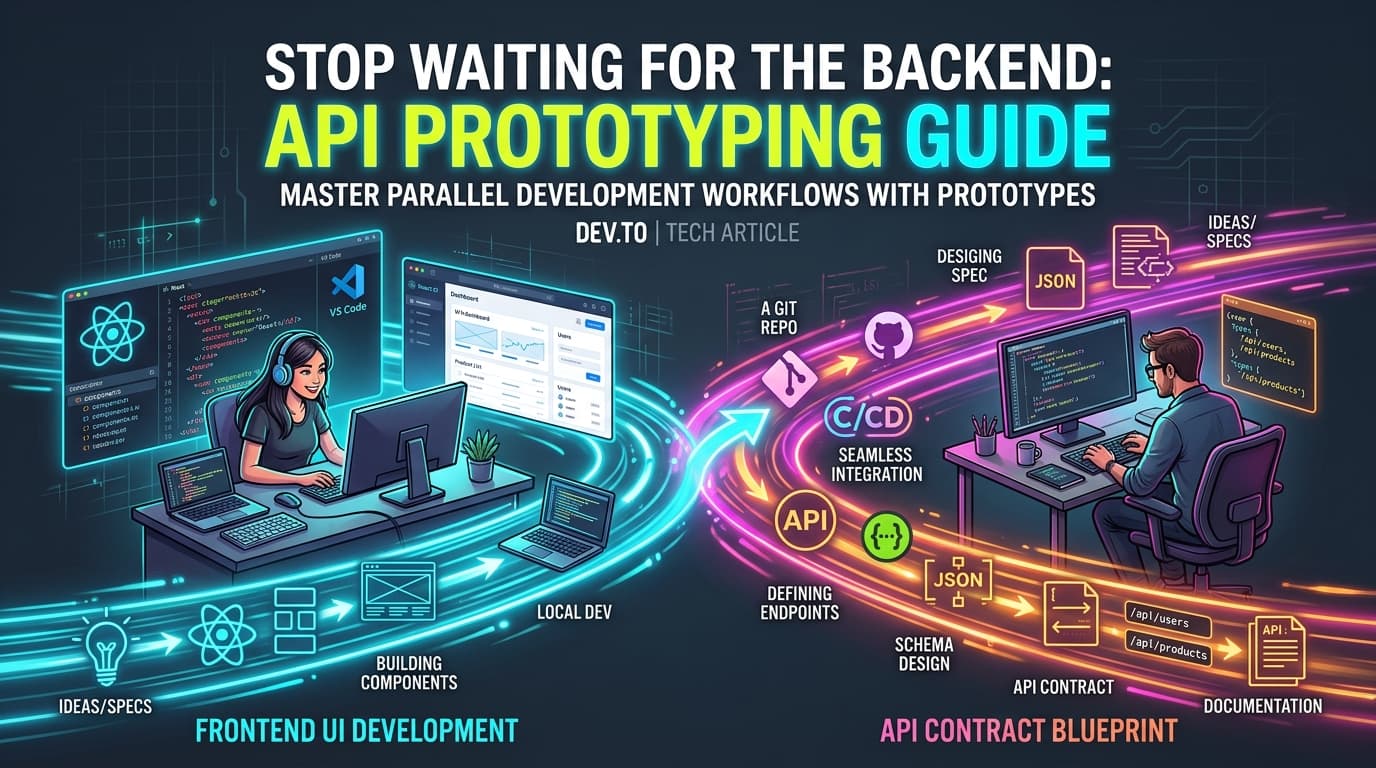
Discover how frontend teams can work in parallel with backend engineers using API contracts, stateful mock sandboxes, and zero-downtime endpoint switching.
NK
Nilesh Kumar
Creator of Playground API
Stop Waiting for the Backend: A Frontend Developer's Guide to API Prototyping

Stop Waiting for the Backend: A Frontend Developer's Guide to API Prototyping

Suggested URL Slug: frontend-api-prototyping-guide

Primary Keyword: frontend API prototyping

Secondary Keywords: API contract first development, parallel frontend backend workflow, mock API prototyping, React API integration

Meta Description: Discover how frontend teams can work in parallel with backend engineers using API contracts, stateful mock sandboxes, and zero-downtime endpoint switching.

Suggested Dev.to Tags: #productivity, #webdev, #frontend, #career


Here is a common scenario in software teams:

Sprint planning begins on Monday. The product manager outlines an exciting new feature: a customer analytics dashboard with interactive filters, CRUD management, and real-time updates.

The backend team estimates their API work at 5 days.

The frontend team is told: "You can start building the UI once our database migrations and API endpoints are merged on Friday."

This creates an artificial bottleneck. Frontend engineers are forced to wait, rush their UI implementation over the weekend, or write throwaway mock adapters that must be rewritten when the real backend arrives.

It does not have to be this way. By adopting API Prototyping and Contract-First Development, frontend developers can build, test, and ship complete, interactive interfaces in parallel with the backend team.


The Waterfall Trap vs. Parallel Track Development

When teams develop sequentially, every delay in the backend blocks the frontend. When teams develop in parallel, both teams agree on a shared API Contract on day one:

mermaid
1
gantt
2
title Sequential vs Parallel Development
3
dateFormat YYYY-MM-DD
4
section Sequential (Waterfall)
5
Backend API Development :a1, 2026-09-01, 5d
6
Frontend Blocked Waiting :crit, a2, 2026-09-01, 5d
7
Frontend Rushed Dev :a3, after a1, 3d
8
section Parallel (Contract-First)
9
Define API Contract (Day 1) :done, b1, 2026-09-01, 1d
10
Backend Development :b2, after b1, 4d
11
Frontend Prototyping Sandbox:active, b3, after b1, 4d
12
Seamless Integration & QA :b4, after b2, 1d

By decoupling the frontend from the physical backend implementation, frontend engineers can:

  1. Validate user experience and design assumptions early.
  2. Build realistic error and loading states.
  3. Share interactive staging demos with product managers and stakeholders days ahead of schedule.

The 4 Steps to Successful Frontend API Prototyping

Step 1: Agree on the API Contract

Before writing code, both teams establish the endpoint paths, HTTP verbs, payload shapes, and status codes. For example:

  • GET /api/v1/posts?_page=1&_limit=10 → Returns paginated posts.
  • POST /api/v1/posts → Body: { title: string, body: string, user_id: number }.
  • DELETE /api/v1/posts/:id → Returns 200 OK.

Step 2: Connect to a Zero-Config Stateful Sandbox

Instead of building a temporary Node.js Express server on your machine that only you can access, use a hosted stateful sandbox like Playground API by Niles Labs.

Playground API provides pre-seeded datasets (users, posts, comments, todos) with full support for:

  • CRUD mutations that persist per session
  • Sorting (?_sort=title&_order=asc)
  • Pagination (?_page=1&_limit=10)
  • Latency injection (?_delay=1000)
  • Error simulation (?_status=500)

Step 3: Abstract Your API Layer with an Environment Variable

Always isolate your base API URL in an environment configuration file:

typescript
// src/config/api.ts
export const API_BASE_URL =
process.env.NEXT_PUBLIC_API_URL || 'https://playground.nileslabs.com/api/v1';
typescript
1
// src/services/postService.ts
2
import { API_BASE_URL } from '../config/api';
3
4
export interface Post {
5
id: number;
6
title: string;
7
body: string;
8
user_id: number;
9
}
10
11
export async function getPosts(page = 1, limit = 10): Promise<Post[]> {
12
const res = await fetch(${API_BASE_URL}/posts?_page=${page}&_limit=${limit});
13
if (!res.ok) throw new Error(HTTP error ${res.status});
14
return res.json();
15
}
16
17
export async function createPost(payload: Omit<Post, 'id'>): Promise<Post> {
18
const res = await fetch(${API_BASE_URL}/posts, {
19
method: 'POST',
20
headers: { 'Content-Type': 'application/json' },
21
body: JSON.stringify(payload),
22
});
23
if (!res.ok) throw new Error('Failed to create post');
24
return res.json();
25
}

Step 4: The Zero-Friction Switch to Production

When Friday arrives and the backend team deploys their service, you don’t need to rewrite your React components or modify fetch hooks.

You simply update your .env.production file:

Terminal
1
# Before (Prototyping Sandbox)
2
NEXT_PUBLIC_API_URL=https://playground.nileslabs.com/api/v1
3
4
# After (Production Backend Ready)
5
NEXT_PUBLIC_API_URL=https://api.yourcompany.com/v1

Because your frontend was developed and tested against real HTTP requests, headers, and status codes, the switch is seamless.


Concrete Example: Building an Interactive Admin Panel

Here is how straightforward it is to prototype an interactive user list with real-time deletion against a sandbox:

jsx
1
// src/components/AdminUserList.jsx
2
import React, { useState, useEffect } from 'react';
3
4
const API_URL = 'https://playground.nileslabs.com/api/v1';
5
6
export default function AdminUserList() {
7
const [users, setUsers] = useState([]);
8
const [loading, setLoading] = useState(true);
9
10
const fetchUsers = async () => {
11
setLoading(true);
12
const res = await fetch(${API_URL}/users?_limit=5);
13
const data = await res.json();
14
setUsers(data);
15
setLoading(false);
16
};
17
18
const handleDeleteUser = async (id) => {
19
// Delete against sandbox overlay
20
await fetch(${API_URL}/users/${id}, { method: 'DELETE' });
21
// Re-fetch or filter locally: the deleted user is gone from the session!
22
setUsers(users.filter(u => u.id !== id));
23
};
24
25
useEffect(() => {
26
fetchUsers();
27
}, []);
28
29
if (loading) return <p>Loading team members...</p>;
30
31
return (
32
<div style={{ maxWidth: '600px', margin: '2rem auto', fontFamily: 'sans-serif' }}>
33
<h2>👥 Team Members (Prototype)</h2>
34
<table style={{ width: '100%', borderCollapse: 'collapse' }}>
35
<thead>
36
<tr style={{ background: '#f1f5f9', textAlign: 'left' }}>
37
<th style={{ padding: '8px' }}>Name</th>
38
<th style={{ padding: '8px' }}>Email</th>
39
<th style={{ padding: '8px' }}>Action</th>
40
</tr>
41
</thead>
42
<tbody>
43
{users.map(user => (
44
<tr key={user.id} style={{ borderBottom: '1px solid #e2e8f0' }}>
45
<td style={{ padding: '8px' }}>{user.name}</td>
46
<td style={{ padding: '8px' }}>{user.email}</td>
47
<td style={{ padding: '8px' }}>
48
<button
49
onClick={() => handleDeleteUser(user.id)}
50
style={{ color: '#ef4444', background: 'none', border: 'none', cursor: 'pointer' }}
51
>
52
Remove
53
</button>
54
</td>
55
</tr>
56
))}
57
</tbody>
58
</table>
59
</div>
60
);
61
}

Summary

Waiting for backend APIs creates unnecessary friction and delays project delivery. By establishing early API contracts and developing against a stateful sandbox, frontend engineers gain the autonomy to build polished, fully-tested user interfaces from day one.

Unblock your frontend team today with Playground API by Niles Labs.

Tags:#productivity#webdev#frontend#career

Try Playground API in Your Own App

Stateful mock REST & GraphQL API with private sandbox overlays.